Help

Create

Create a form

New signups can land in Contacts.

  1. Create the form

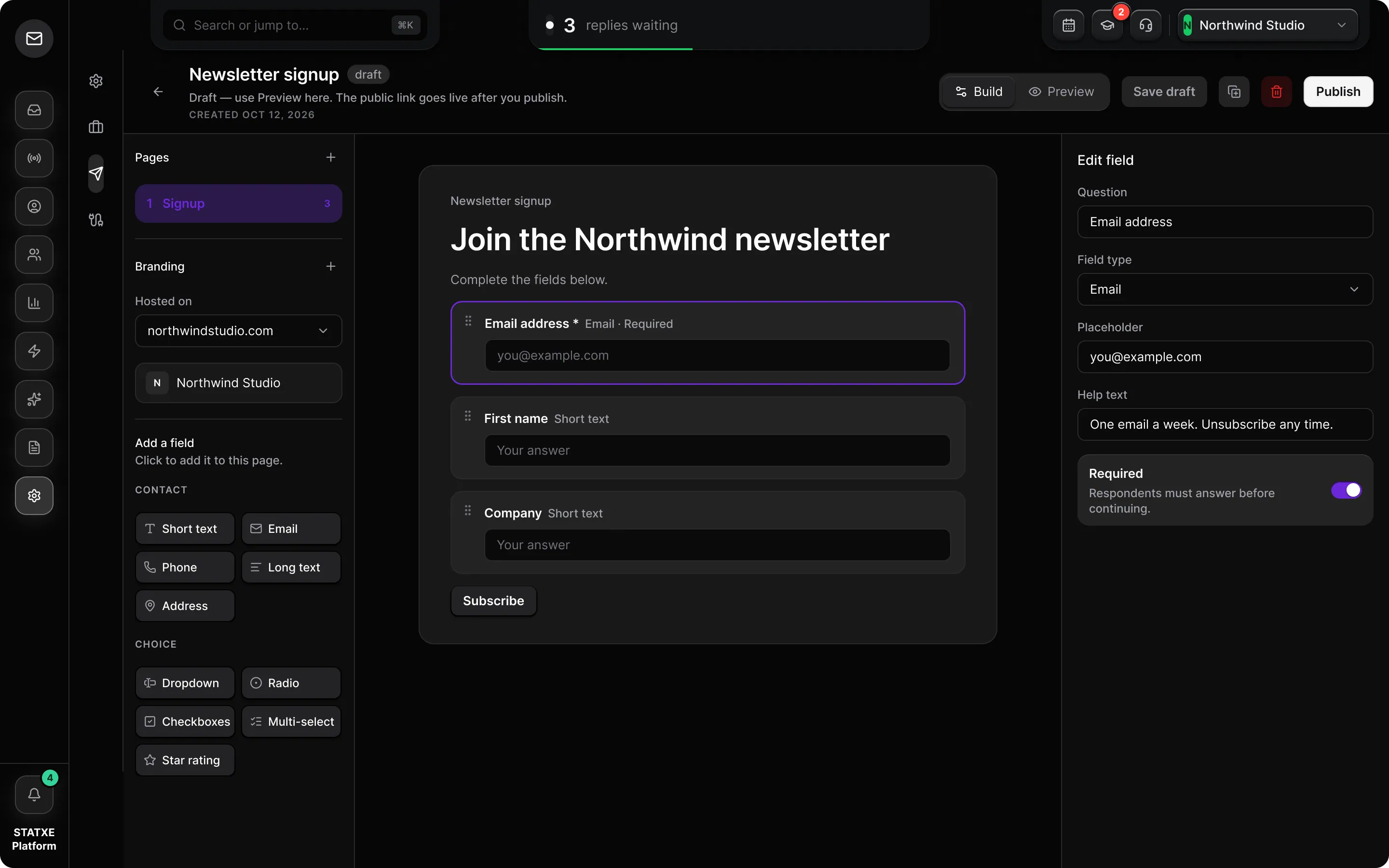
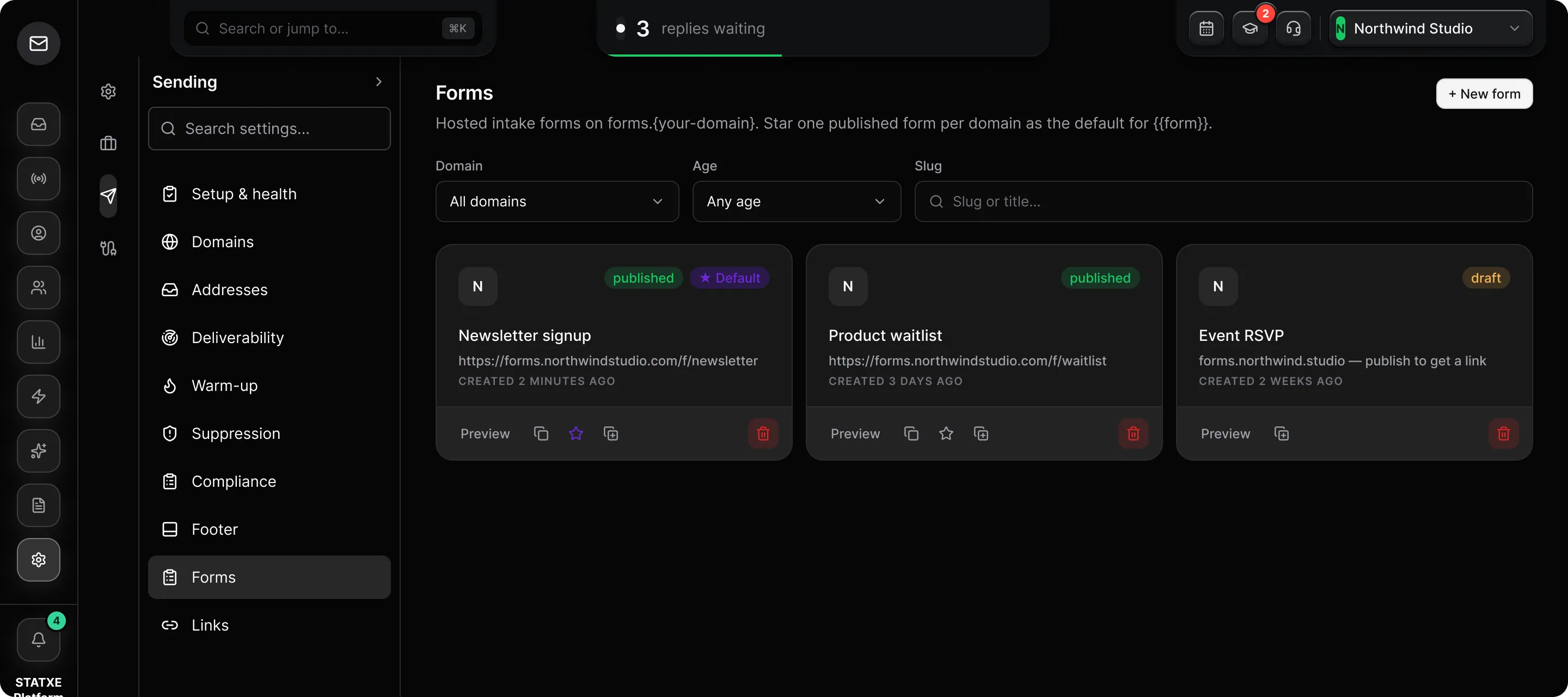
    Go to Settings → Forms and use New form. The public URL lives on forms. plus your sending domain. Assign a brand kit in the builder so the page matches your colors.

  2. Keep email required

    Add fields you will actually use. Email must stay required — submissions without it cannot become contacts. Name, company, and phone are optional. Extra fields can map to custom merge fields.

  3. Decide where signups land

    New submissions create or update people in Contacts. Put them on a group if you will campaign to them (a static launch list, or a smart group that matches a form tag).

  4. Share the link or embed

    Copy the public link, or take the embed snippet for your site. You can also insert the branded link from the campaign composer. Test the form yourself with an address you control before you share it.

Create the form, keep email required, then copy the public link

Audience

Forms

Collect information on forms.your-domain.com. Assign a brand kit per domain in the form builder.

New form
  • F
    published

    Launch signup

    https://forms.updates.statxe.com/launch-signup

    Created 2 days ago

    Preview

Walkthrough playing.

New form

Go to Settings → Forms and use New form. The public host is forms. plus your sending domain.

Email required

Keep Email required so submissions can become contacts. Name and company are optional. Extra columns can map to custom merge fields.

Share or embed

Copy the public link from Form settings, or take the embed snippet. Test with an address you control. New rows land in Contacts — put them on a group before you campaign.